Brand manual

How Nordic BIM Group looks, sounds and feels

Our logo, colors, typography, tone of voice and imagery in one place. Use this manual for everything we make, from presentations and documents to ads, events and the web.

Logo

One logo across three countries

The logo combines the logomark and the logotype. We use the same logo in Norway, Sweden and Finland and show the country in the account or page name instead, for example Nordic BIM Group Sverige.

  • Use the primary logo (Aurora mark, Midnight text) on white, Snow, Sand and light images.
  • Use the white-text version on Midnight, Fjord and dark images.
  • Use the all-white version only where color is not possible.
  • Minimum width is 85 px on screen and 20 mm in print. Never stretch, recolor or redraw the logo.
  • The logomark on its own is only for social media profile images.
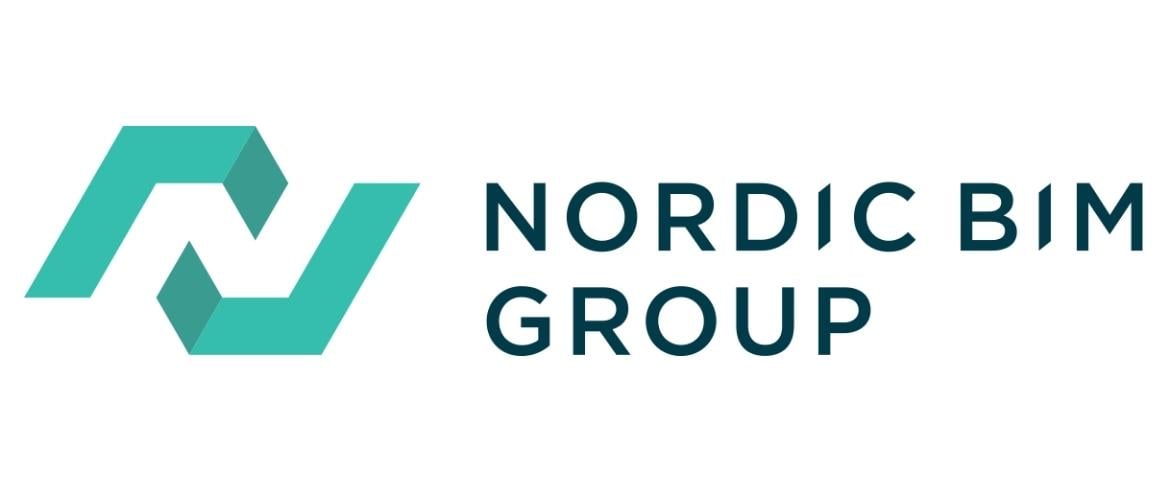
Nordic BIM Group logo
Colors

55° North

Our palette comes from Nordic nature: deep forests, northern lights and fjords running through snowy mountains. Midnight, Fjord and Aurora carry the brand. Use the other colors with care, and keep text readable on every background.

Midnight

Primary. HEX #002136, RGB 0/33/54, CMYK 80/30/0/88. Dark sections and headings on light backgrounds.

Fjord

Primary. HEX #023B49, RGB 1/59/73, CMYK 96/60/48/49. Secondary dark background and body text on light backgrounds.

Aurora

Primary accent. HEX #3BBFAD, RGB 59/191/173, CMYK 68/0/41/0. Buttons, highlights and the logomark. Aurora text only on dark backgrounds.

Forest

Secondary. HEX #566C54, RGB 86/108/84, CMYK 60/30/60/40. Supporting fills and illustrations.

Sand

Secondary. HEX #DFD6C7, RGB 223/214/199, CMYK 15/15/23/0. Warm light backgrounds.

Cloudberry

Secondary accent. HEX #EC6726, RGB 236/103/38, CMYK 0/70/90/0. For attention only. Use it sparingly.

Birch

Neutral. HEX #DCDFDD, RGB 220/223/221, CMYK 16/10/13/0. Subtle backgrounds and text on Midnight.

Snow

Neutral. HEX #F7FBFB, RGB 247/251/251, CMYK 4/0/2/0. Light backgrounds and text areas.

Typography

One family: Archivo

Archivo is a grotesque sans serif that works on screen and in print. We use one family in four weights for everything, from a website headline to the small print on a form. Archivo is a free Google Font, so everyone at Nordic BIM Group and our partners can install it.

  • Archivo Light for all headlines, in sentence case with tight letter spacing.
  • Archivo Regular for body text, preambles, captions and forms.
  • Archivo SemiBold for buttons, labels and short highlights.
  • Archivo Bold sparingly, for a key word or number.

The simple rules

  • Write headlines in sentence case. Never set a headline in all caps or bold.
  • The only uppercase text is the small eyebrow line above a headline.
  • Color one key word in a headline Aurora when you want emphasis, never more.
  • Avoid Archivo Light below 20 px.
  • Where Archivo is missing, fall back to Helvetica Neue, then Arial.
  • Alternate Gothic and Noto Serif are retired. Do not use them in new work.
Tone of voice

How we sound

We write like experienced colleagues who know BIM inside out and want our customers to succeed. Clear, warm and to the point, in Norwegian, Swedish, Finnish and English. These ten principles guide everything we write, from a LinkedIn post to a support reply.

We say what we mean and only promise what we can deliver. Our confidence comes from experience, so we show it through real projects and real customers, not big words.

Imagery

Real people, real projects

Our images show the Nordic landscape, the buildings our customers design and the people who make them. We take a documentary approach: natural light, real situations and no posing.

  • Northern lights is our signature motif. Use it on covers, heroes and profile images.
  • Products and people. Show the software in use on real projects, with the people behind them.
  • Credit every image with the photographer or customer. Do not use generic stock photos.
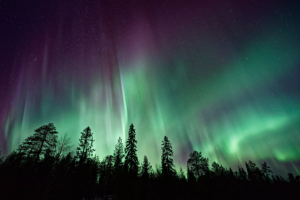
Nordic Lights Archicad news thumbnail
Graphic element

The mesh: three companies, one group

The triangular mesh comes from the logomark. Its triangles stand for the three companies that founded Nordic BIM Group, joined into one connected whole.

  • Use the white mesh on Midnight, Fjord and dark images, and the black mesh on light backgrounds.
  • Keep the opacity between 20 and 40 percent so it never competes with text.
  • Let it bleed off the edge of the format. Do not recolor it, and never place long body text over it.

The Nordic BIM Group triangular mesh pattern on Midnight
Icons

Simple line icons that guide the eye

Our icon library covers business areas, services and content types. Use the icons to help people scan, never as decoration.

Globe and gear icon in Midnight
Midnight on light

On White, Snow and Sand, use the Midnight line icons.

Globe and gear icon in Snow
Snow on dark

On Midnight, Fjord and dark images, use the Snow versions.

Network icon in Midnight
Never recolor

Use the icons as delivered. Do not change colors, stretch them or add effects.

Building and pencil icon in Midnight
Always labeled

Pair every icon with a short label so the meaning never depends on the icon alone.

Downloads

Brand assets

Download the original files. Use them as they are, and ask the marketing team if you need a format that is not here.

Logos

The logo package with all versions for screen and print.

Color palette

Swatch files with the brand colors for design tools.

Pattern

The mesh pattern in black and white.

Imagery

Our approved image library. Large file, about 185 MB.

Icons

The full icon and badge library.

Fonts

Archivo, our brand typeface. Free from Google Fonts.

Templates and fonts

Start with the right tools

The PowerPoint and Word templates are installed on every company computer. Open PowerPoint or Word, choose New and pick the Nordic BIM Group template. Install Archivo before you start, and contact the marketing team if you have questions about the brand.