![nordicbim_logo.png]](https://www.nordicbim.com/hs-fs/hubfs/Imported%20images/nordicbim_logo.png?height=40&name=nordicbim_logo.png)
_mceclip0-png.png?width=670&height=301&name=My%20Views%20i%20Teamwork%20()_mceclip0-png.png)
Many users are not aware of the possibility of having their own private Views in Teamwork projects. At the top of the View Map, you can choose Public Views or My Views.
You may have your own preferred methods and ways of viewing the model. By using My Views, you avoid creating too many Views that may be irrelevant for colleagues and project partners.
Public Views are typically used for drawing production, while My Views can be used with exactly the settings you prefer, without affecting how Views appear for others.
If you have created a View that you would like to share with the rest of the project team, you can easily transfer it from My Views to Public Views in the Organizer. You can read more about Views in Teamwork
Creating Private Views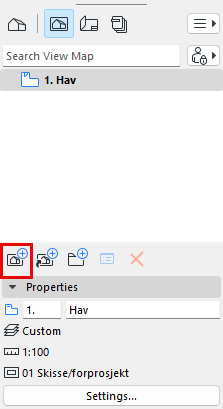
You can create a private view by being in a desired view and selecting My Views, as shown above, and then clicking the Create View button  at the bottom of the Navigator