![nordicbim_logo.png]](https://www.nordicbim.com/hs-fs/hubfs/Imported%20images/nordicbim_logo.png?height=40&name=nordicbim_logo.png)
Ideally, you should have a dedicated IFC translator that is used when this type of export is needed. It’s also recommended to update your template file so the settings are ready when the export is requested.
Start by creating a new project from your updated template file and draw a chosen composite wall, for example, an "y-vägg, sandwich" as the first test.
Classifications
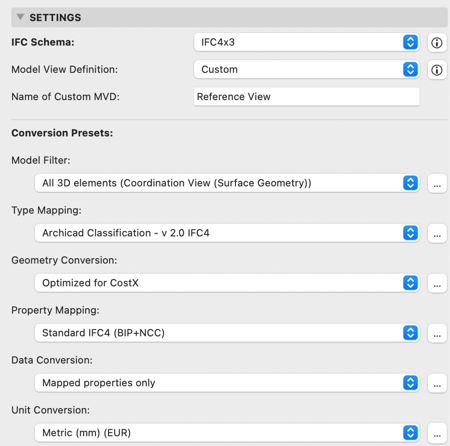
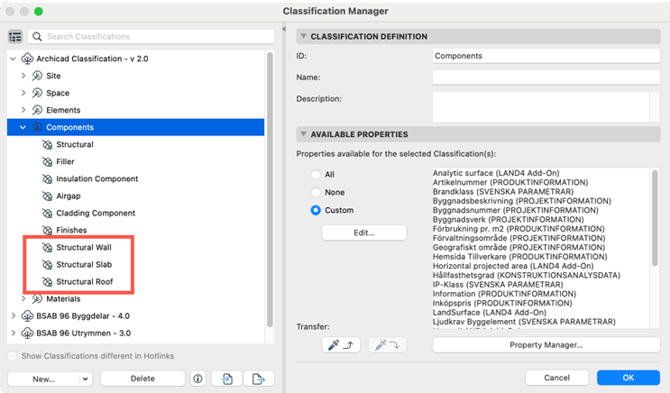
First, we need to create new classifications to be able to distinguish between different core elements of the composites.
Building Materials
To make IFC export easier, Building Materials for the specific layers should be created with the correct classification. It's important that all parts in a composite are classified either as a structural wall or as another type of component rather than just by material classification.
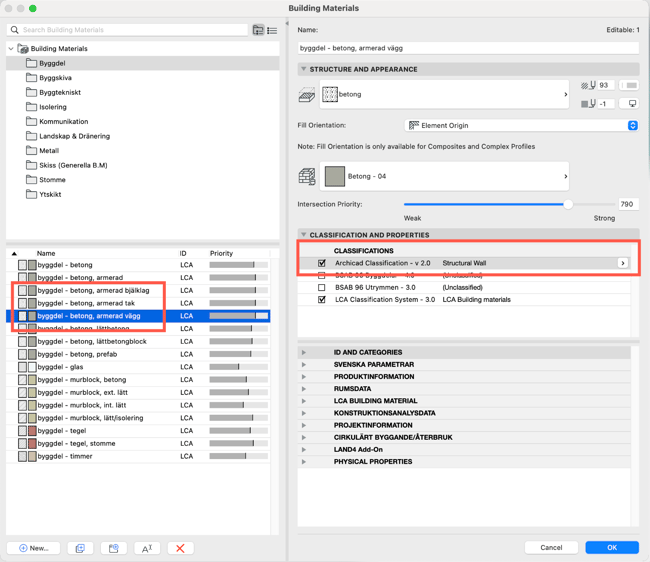
When all the Building Materials are done, don't forget to update the composites to make sure they have the new Building Materials that was created previously.
IFC Translator
For IFC export, a dedicated IFC translator is created.
Make a copy of "Exakt Geometry Export (BIP)" and rename it.
Apply the following changes:
Model View Definition: (Coordination View (Surface Geometry)
Model Filter: All 3D elements (Coordination View (Surface Geometry
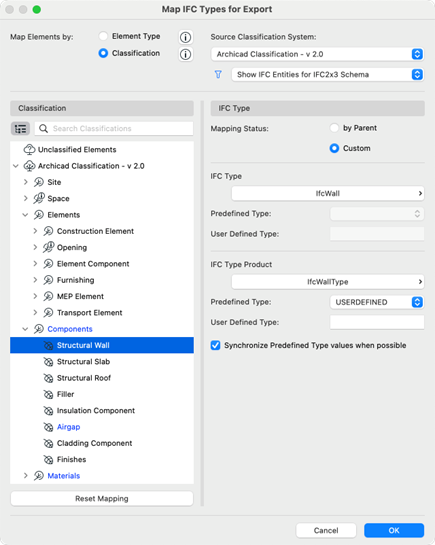
Type Mapping: Structural walls to be exported as ifcWall, the same applies to slab and roof. The other skins shall be exported as ifcCovering
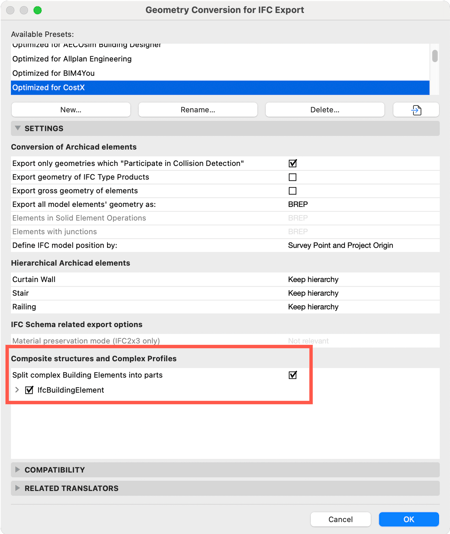
Geometry Conversion: Optimized for CostX
Update ”Optimized for CostX" so that ”Split Complex Elements into parts” is active.
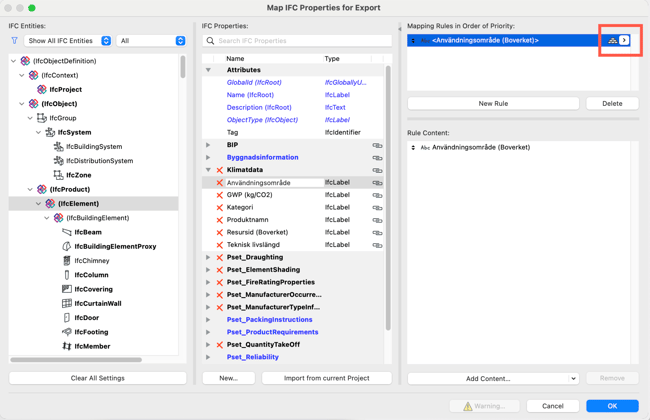
Property Mapping: Metadata such as each layer's climate data or other information that should be on the specific layers must be mapped so that the desired metadata is exported to the "For Element Components only" layers.
Make sure the new settings work in the updated template file and check the results with the created composites before applying them to live projects.
When exporting as IFC, the model is thereafter checked in Solibri.
During the check, you should be able to see the wall element, and it should also show the skins that are included in the element with the desired metadata for each skin.
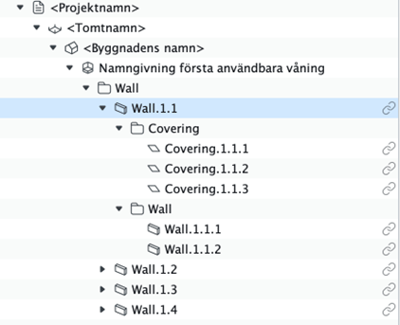
With the help of this type of export, it is possible to create an Information Takeoff in Solibri that can be used for, for example, cost estimation in spreadsheets.

The more specific metadata applied to the layers makes it easier to organize and extract the information in Solibri.
IFC 4 and 4.3
For export to IFC4, create a copy of the translator that was made for 2x3.
Change the IFC schema and Model View Definition.
Update the Type Mapping for IFC4 in the same way as previously done with IFC 2x3..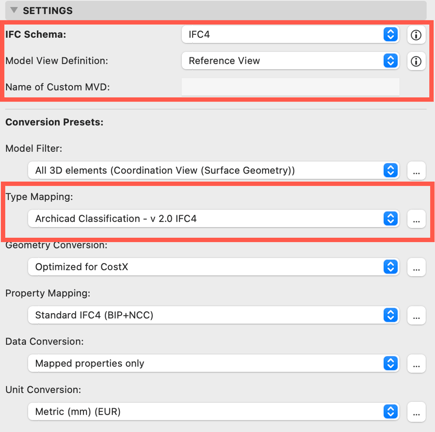
For export to IFC 4x3, create a copy of the IFC4 Translator.
Change the IFC Schema to IFC 4x3.
Since this IFC is not certified yet there are no specific Model View Definitions, so it will just be a copy of the standard Reference View.