![nordicbim_logo.png]](https://www.nordicbim.com/hs-fs/hubfs/Imported%20images/nordicbim_logo.png?height=40&name=nordicbim_logo.png)
Before you can use your floating cloud license, you must assign it to a group that belongs to your company. The license will then be available for the team members (selected Graphisoft ID accounts) to reserve and activate the associated products. The license can be transferred to anyone within the same group.
To assign a license to a group, follow these steps:
- Click on the "Cloud licenses" tab under "Licenses" and select "View by groups"
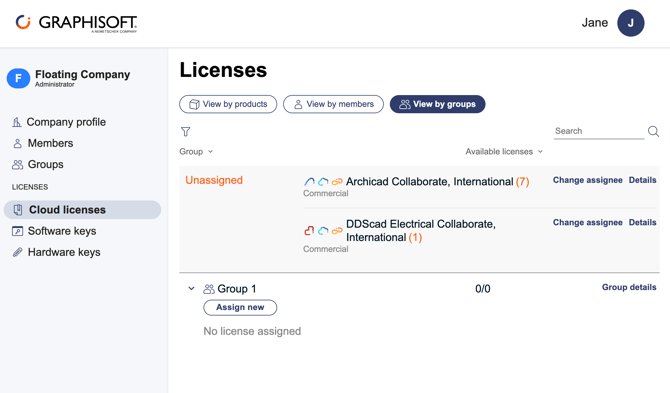
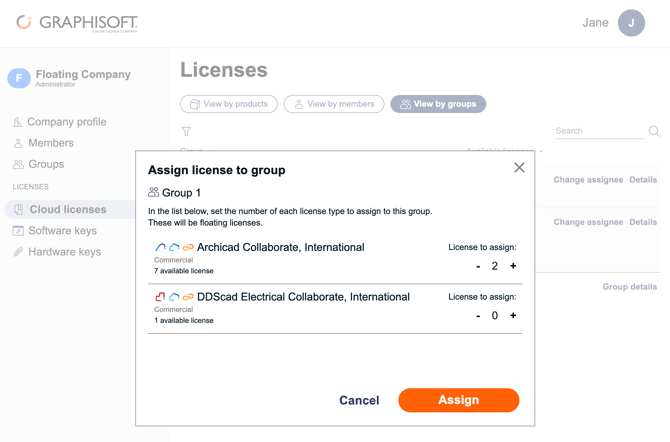
- Click on "Assign new", select the number of licenses to assign and click on "Assign"
- You can now see that the license is assigned to the group you selected
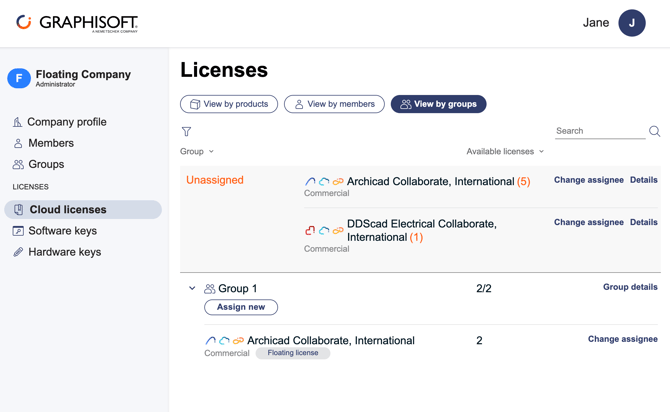
You can set the license to "Unassigned" or change the assignee using the "Change assignee" option:
Use the "Assign new" option to grant additional or new types of licenses to the group.
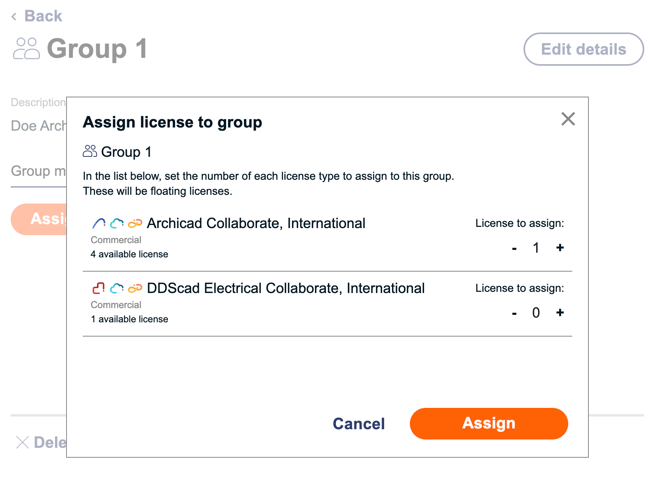
It is also possible to assign a license to a group by opening the group's details and selecting the "Assign licenses" option.
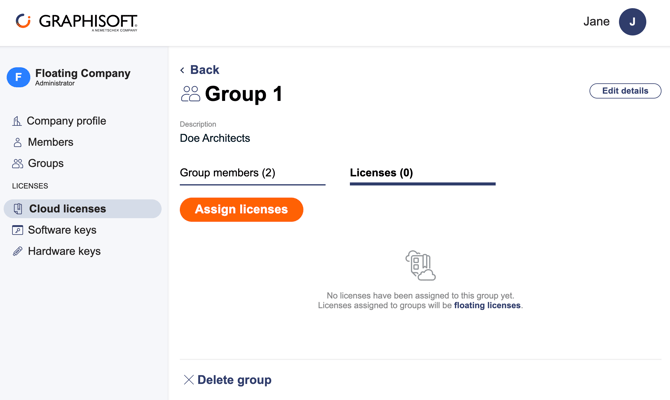
Select the product and the number of licenses you want to assign.
Click here to get to the FAQ for Cloud Licenses