In the images below, you can see the difference in quality when 3D Antialiasing is on versus off.
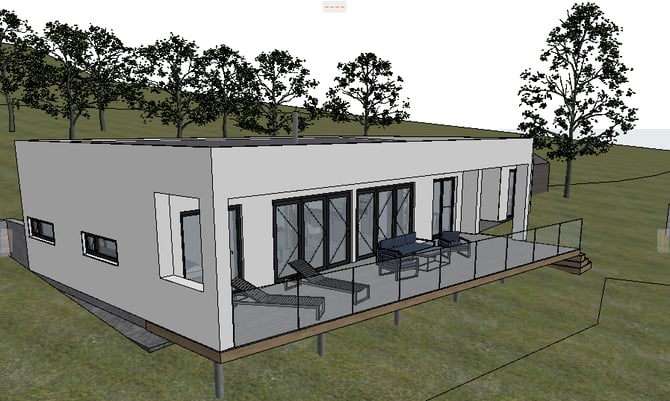
Not active
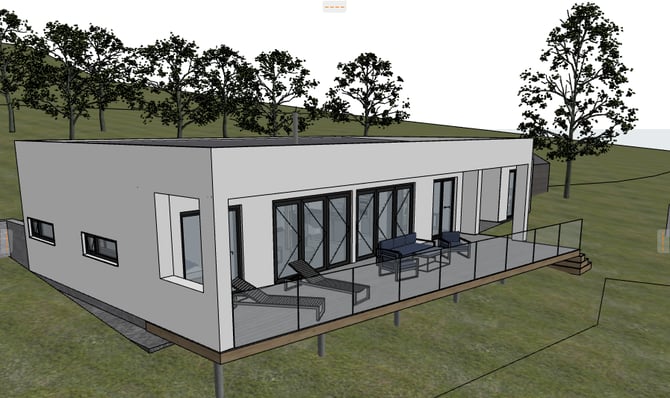
Active
If you want to enable anti-aliasing, go to > Options > Work Environment> Advanced Redraw Options.
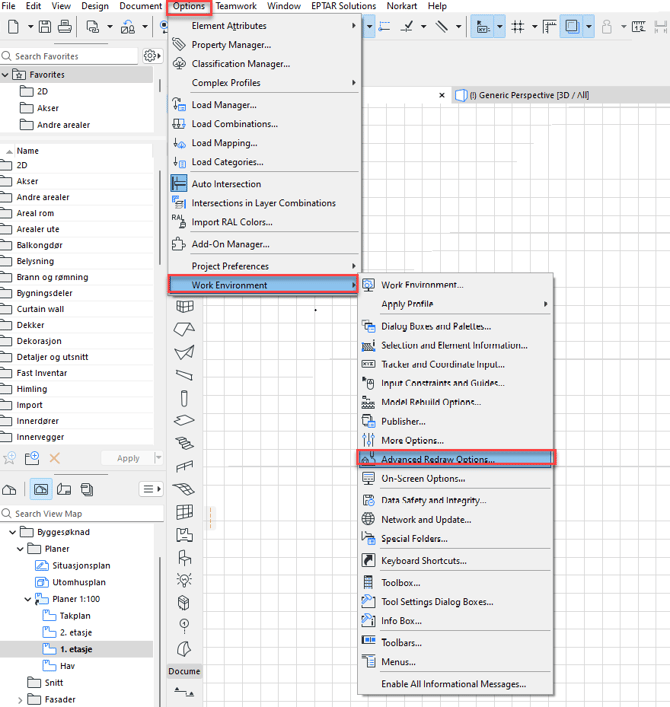
Under Advanced Redraw Options, you enable 3D Antialiasing (with Hardware accelerated mode). Then click OK to exit the dialog box.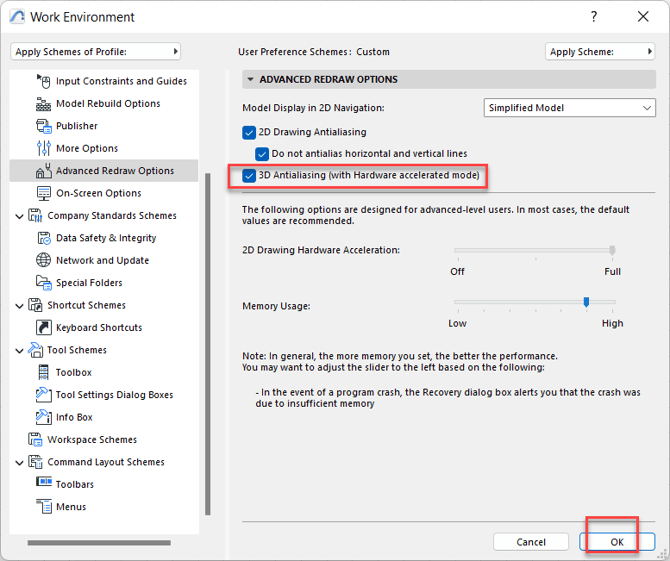
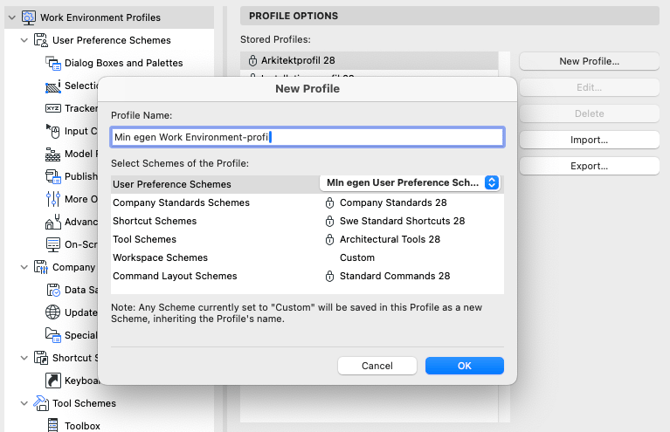
Keep in mind that the setting belongs to the User Preference Scheme subgroup in Archicad's Work Environment, and to make sure the setting stays, you can create your own profile for that specific WE subgroup.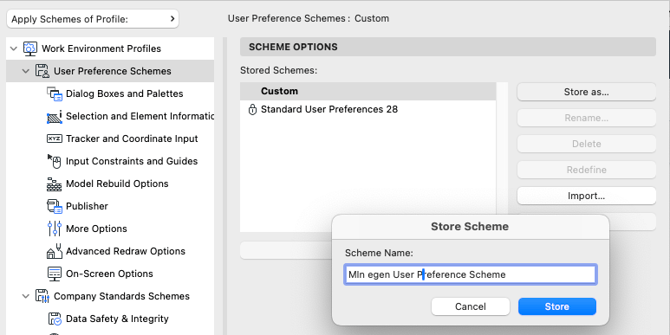
And even after that, you might create a new, complete WE profile with your new WE subgroup active. Then you can export the complete WE profile and load it through the same dialog on other computers.