![nordicbim_logo.png]](https://www.nordicbim.com/hs-fs/hubfs/Imported%20images/nordicbim_logo.png?height=40&name=nordicbim_logo.png)
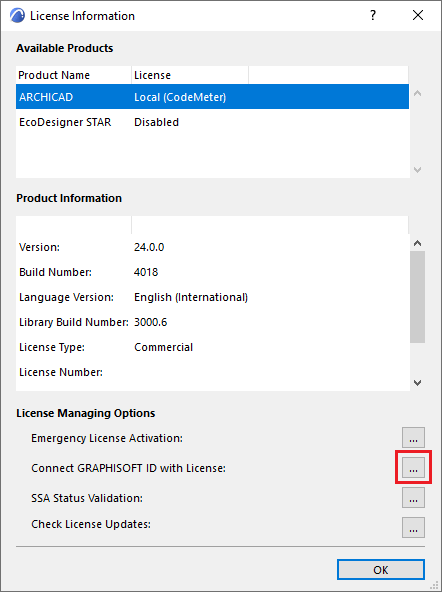
1. Open License Information in Archicad
- Start Archicad with the license in use
- Go to Help → License Information
- Click Connect Graphisoft ID with License
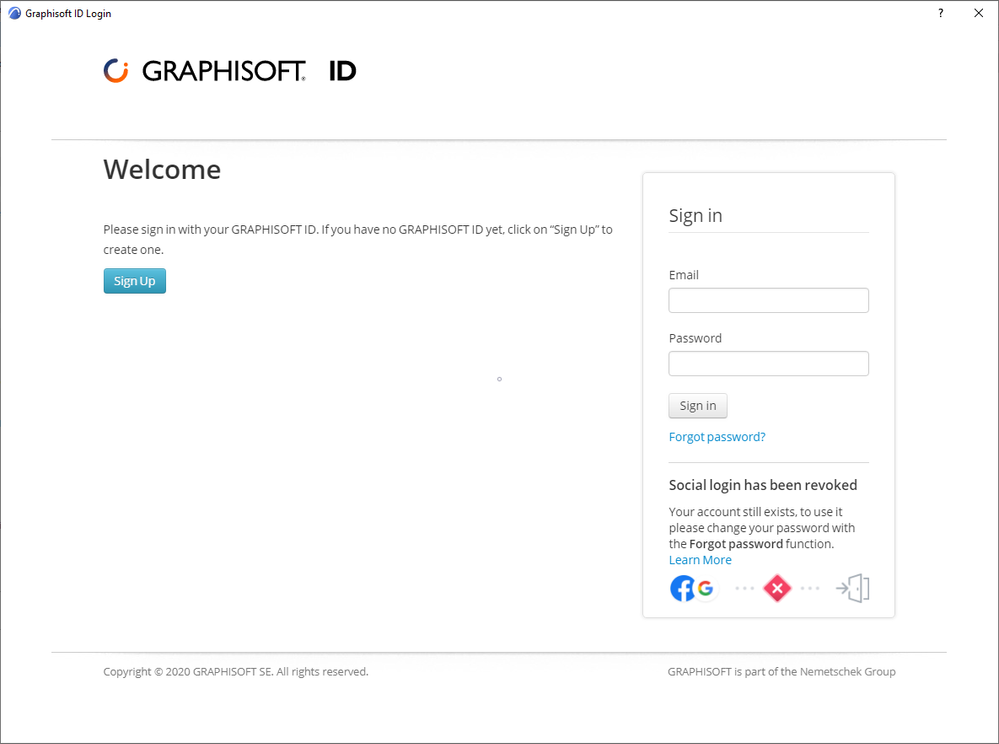
2. Sign in with Graphisoft ID
- Sign in with your Graphisoft ID
- Create an account if needed
3. Choose the correct scenario
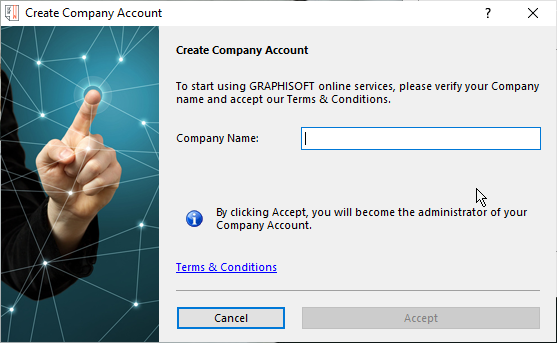
If no company exists yet
- Enter a company name
- The first user becomes Administrator
- The company becomes the license owner
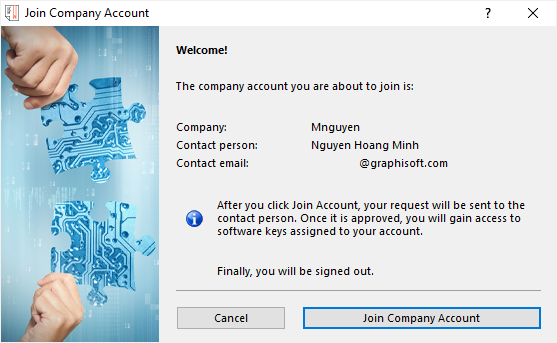
If a company already exists
- Send a join request
- The Administrator must approve it
- Access is activated automatically
Done ✅
- Your Graphisoft ID is now connected to the license
- Archicad recognizes it at next sign‑in
- Service contract benefits are available
If the button is disabled
If Connect Graphisoft ID with License is unavailable:
- the license is already connected, or
- you need an invitation from the company Administrator